
WorkLink · CRM
A CRM built around WhatsApp, priced per company
Contacts, companies, a deals pipeline, tasks and one timeline per customer, with WhatsApp chats on the same record. One flat price per company, not per seat.

Demo dataWorkLink CRM prototype. Brightway Aircon is a fictional company.
The CRM features small teams use every day
Not every feature a big company buys. The parts a small sales team opens every day, with WhatsApp built in.
Early access. The CRM is not generally available yet. The screens on this page come from the WorkLink CRM prototype and show fictional demo data.
-
Contacts and companies
With filters, saved views and CSV import and export.
-
Deals pipeline
A board of deals. Drag a deal to change its stage.
-
One timeline per customer
Notes, calls, meetings, tasks and WhatsApp messages together.
What the CRM does
Pipeline
A deals board your team will actually keep up to date
Each column is a stage, with the number of deals and their total value. Each card shows the amount, the owner, the time in stage and any overdue task. Drag a deal to move it on.
- Totals and weighted values for each stage
- Overdue tasks flagged on the card
- Won and lost, with the reason
Records
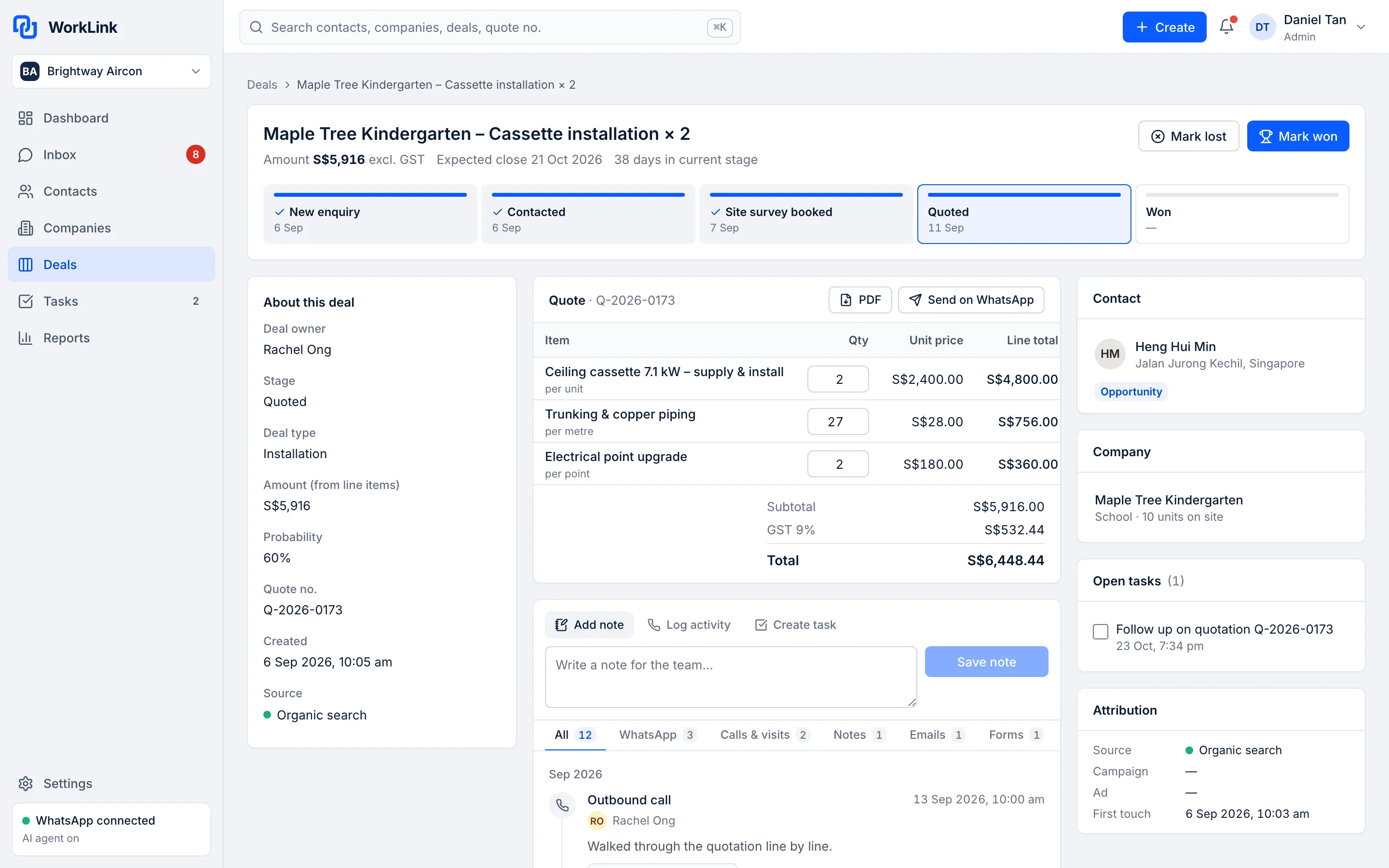
One record per customer, with everything on it
Properties on the left, one timeline in the middle, and the company, deals, tasks and the source that first brought them in on the right.
- Notes, calls, meetings, tasks and WhatsApp messages on one timeline
- Edit properties in place
- First-touch source on every contact

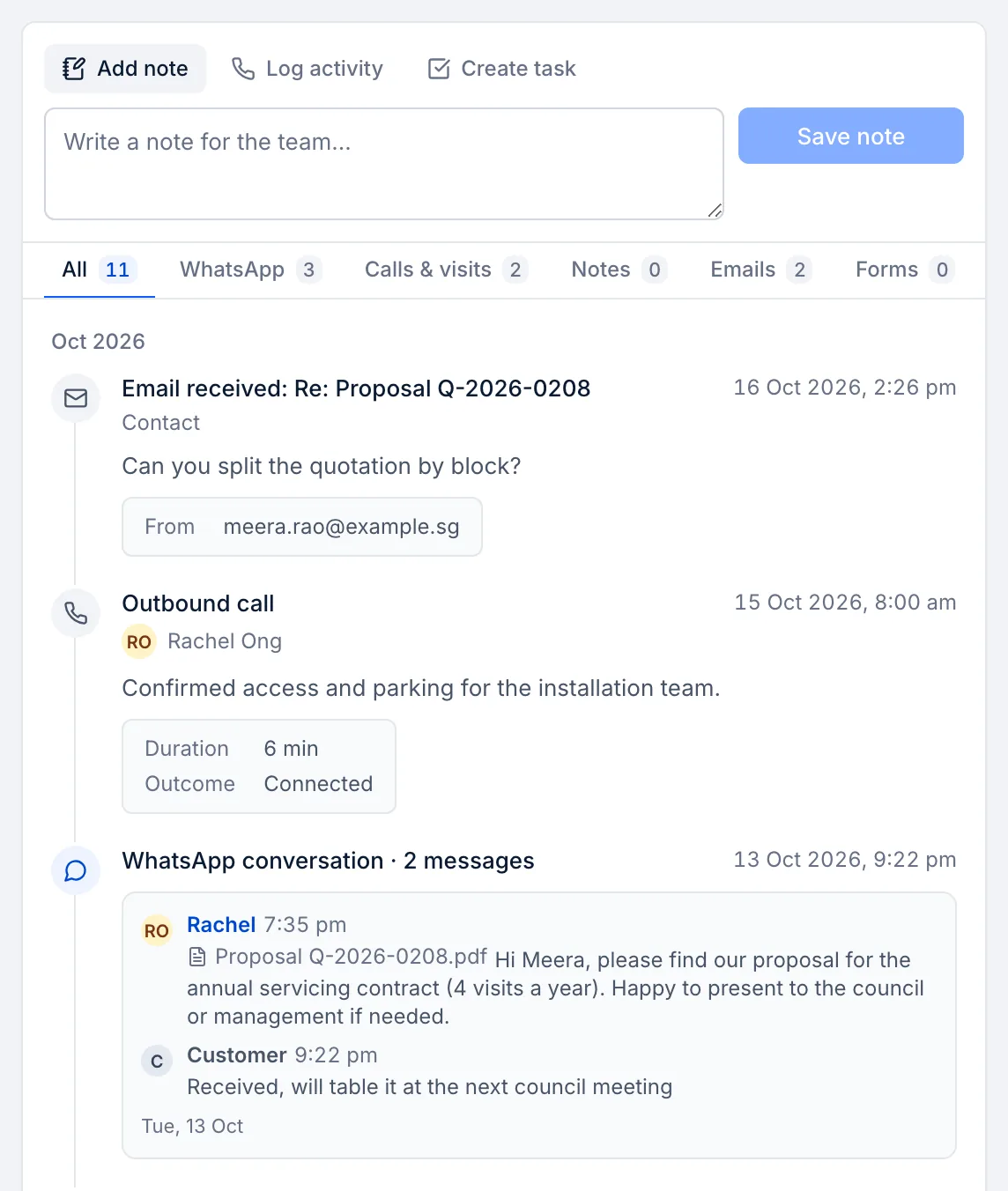
WhatsApp chats on the customer's record
Conversations from the Team Inbox are saved to the customer's timeline, next to calls and notes. Anyone picking up the deal can read the history.
- No copy-pasting chats into notes
- The source and campaign beside the chat
- Works with the AI Chatbot on Growth and Pro
Funnel
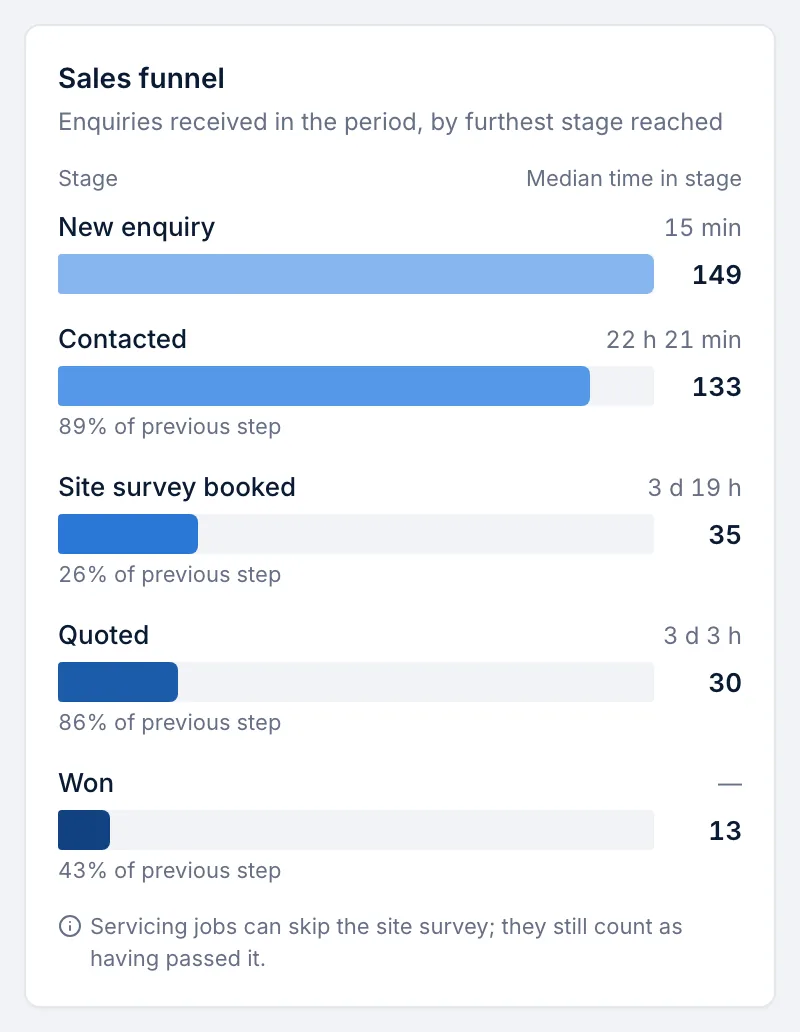
See where deals stall
The sales funnel shows how many enquiries reach each stage, the conversion from step to step and the median time spent in each stage.
- New enquiry to won, step by step
- Median time in each stage
- Click through to the deals behind each number
Demo dataAll screens show the WorkLink CRM prototype with a fictional company's data.
How it works
- 1Step 1
Bring your contacts
Import a CSV from your spreadsheet, or let us do it as part of done-for-you setup.
- 2Step 2
Set up your pipeline
Name the stages your deals go through, from new enquiry to won.
- 3Step 3
Work from one record
Calls, notes, tasks and WhatsApp chats land on the customer's timeline.
- 4Step 4
See the numbers
The Owner Dashboard turns the same records into reports.
Everything in the CRM
Contacts and companies
With custom properties.
Filters and saved views
Find the right people fast.
CSV import and export
Your data comes in and goes out.
Deals board
Drag a deal to change its stage.
One timeline per customer
Notes, calls, meetings, tasks, WhatsApp.
Tasks and reminders
Due-date reminders and a personal task queue.
Users and roles
Admin, manager and sales.
First-touch source
The source that first brought each contact in.
Flat price per company
Not per seat.
The old way vs with WorkLink
Most small teams run sales on spreadsheets and replies from personal phones. Here is what changes.
The old way
Spreadsheets and personal phones
- Leads tracked in a spreadsheet that's always out of date
- Follow-ups remembered, or not, by each salesperson
- The real conversation lives in someone's personal WhatsApp
- Per-seat software makes adding a salesperson expensive
- No one can say which deals are stuck, or why
With WorkLink
CRM
- Every enquiry is a record, created as it comes in
- Tasks with due-date reminders for every follow-up
- WhatsApp chats on the same timeline as calls and notes
- One price per company, with the user limit shown on each plan
- A pipeline board and funnel that show where deals stall
Which plan includes the CRM
The CRM is part of every plan, at a flat price per company. Prices in SGD.
Starter
IncludedS$49 / month per company
or S$490 a year · Up to 3 users
CRM for up to 3 users, 1 sales pipeline
Growth
IncludedS$149 / month per company
or S$1,490 a year · Up to 10 users
Up to 10 users, plus automations
Pro
IncludedS$299 / month per company
or S$2,990 a year · Unlimited users
Unlimited users, plus custom reports
Questions about the CRM
Do I pay per user?
No. Each plan is one price for your company. The plan sets how many users you can add: up to 3 users on Starter, up to 10 users on Growth, unlimited users on Pro.
Can I import my contacts from Excel?
Yes. Save your spreadsheet as CSV and import it. You can export your data as CSV too.
What user roles are there?
Three: admin, manager and sales.
Can I get my data out if I leave?
Yes. You can export your data as CSV. Our Terms also give you a period to export your data after your subscription ends.
Do you set it up for me?
Done-for-you setup is S$490 one-off and optional: we import your data and build your pipeline (and train the chatbot on Growth and Pro). It is waived on annual plans.
When can I start?
The product is in early access and we can't give a go-live date yet, because Meta onboarding for our WhatsApp integration is not complete. Join early access and we'll contact you when we can set you up. You can try the live demo today.
Try the CRM in the live demo
Click around a fictional company's account, then join early access. We'll contact you when we can set you up. No go-live date is promised.